
Lead Management for Microsoft Marketplace Offers: Stop Losing Opportunities
Microsoft Marketplace can generate real buyer interest for your SaaS offers. But if those leads sit unnoticed in Partner Center, they quickly become missed opportunities. Here’s how Marketplace leads actually work, why so many publishers lose them, and how you can capture and act on them quickly.
Why Marketplace Leads Matter
When a potential customer visits your offer page on Microsoft Marketplace, that visit can create a lead. These are people who have already shown interest in your product inside the Microsoft ecosystem. Reaching out to them promptly often means the difference between a closed deal and a lead that goes cold. Yet many publishers discover these leads days or weeks later, if they notice them at all.
How Leads Work in Microsoft Marketplace
A new lead is generated when someone visits your offer in the Marketplace. These leads appear in Partner Center under Insights > Referrals > Leads.
There are a few important limitations to understand:
- Leads can sit there unnoticed for long periods.
- The native experience is report-based rather than action-oriented, so many leads simply get lost in the day-to-day noise of running a business.
You can connect leads to a CRM for a more integrated workflow. Partner Center supports several options, including Salesforce, Marketo, Dynamics 365, Azure Table, and a generic webhook.
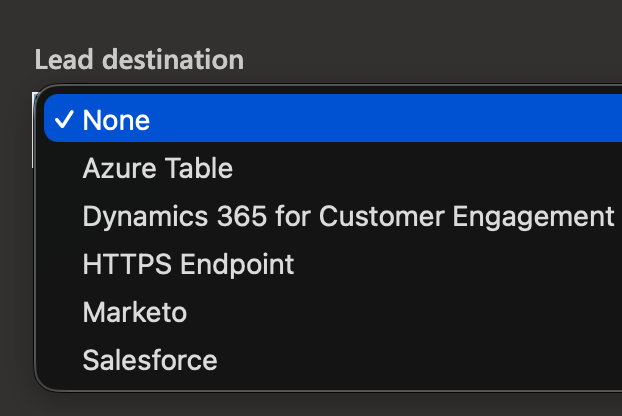
In Partner Center, unaccepted leads expire and are archived after 14 days, while accepted leads must be acted upon within 60 days before they automatically close as lost. This is why it's important to have some sort of lead management integration.
Setting Up CRM Integration in Partner Center
If you prefer to push leads into your existing CRM, the steps are straightforward:
- Open your offer’s Offer setup section in Partner Center.
- Navigate to Customer leads.
- Select Edit and enter your CRM connection details.
- Send a test notification by clicking Validate to confirm everything works.
This approach works well if you already live in one of the supported systems. For many teams, however, the per-offer setup and the lack of a compatible CRM remain friction points.
What Lead Management Looks Like in AMPup
AMPup takes a different approach. Instead of relying on you to poll Partner Center reports, it gives you a single, practical place to handle Marketplace leads.
With AMPup Lead Management you get:
- Immediate notifications across the channels you already use like email, Microsoft Teams, Slack, and others.
- A clean, simple interface to view and manage every lead.
- Full contact details for each lead so you can follow up quickly.
- The ability to archive older leads so your active list stays focused.
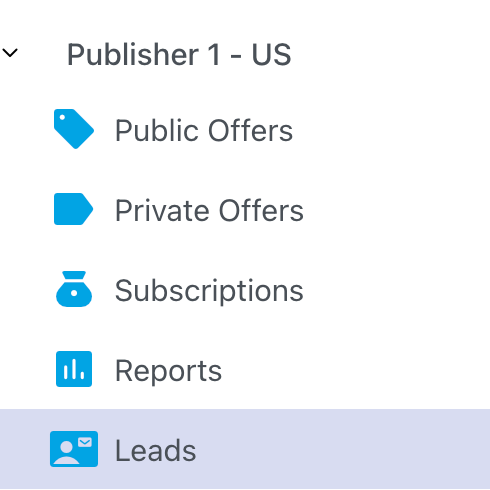
Because AMPup uses the webhook method under the hood, it delivers a first-class experience without forcing you to build or maintain custom integrations yourself. And your leads are persisted in your account. A lead does not expire or disappear in AMPup.
Configuring Lead Management in AMPup (In under 5 Minutes)
Getting started is deliberately simple:
- Sign in to AMPup and select the Publisher you want to configure.
- Open the Leads node and copy the webhook URL shown on the page.
- In Partner Center, go to your offer’s Customer leads settings and select Connect.
- Choose HTTPS Endpoint, paste the AMPup URL, and save.
- Send a test lead from Partner Center using the Validate link.
- Watch the test lead appear in AMPup within moments.
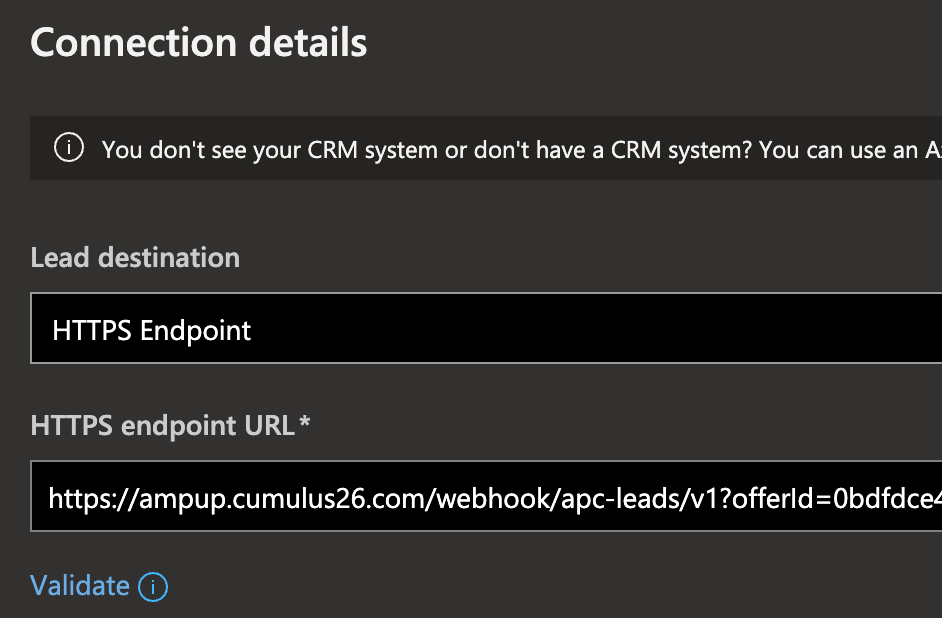
That’s it. Once the webhook is connected, new Marketplace leads flow automatically into AMPup and trigger the notifications you have configured. And you get notified for each one received.
Closing the Gap Between Interest and Action
Marketplace leads are valuable because they represent buyers who are already exploring solutions inside Microsoft’s ecosystem. The native Partner Center experience makes it easy to miss them. A quick webhook connection to AMPup turns those silent report entries into immediate, actionable alerts with a simple management pane.
If you’re publishing or scaling offers on Microsoft Marketplace, take five minutes to connect your leads. The difference between discovering interest in real time and discovering it weeks later is often the difference between winning the deal and watching it go to someone else.
Video
If you prefer to watch a short video on configuring AMPup to collect leads from the marketplace, look no further.